It is mandatory that all tools processed by our distribution centers (DC) contain an individual EAN code. They are essential to assure that orders are processed correctly with all requested documents and publications.
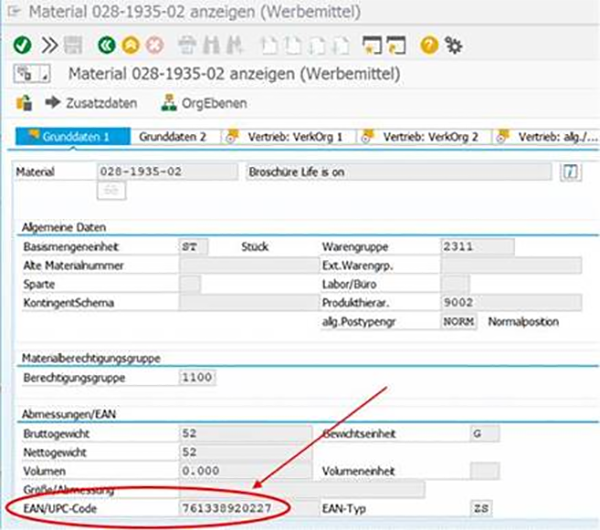
Where to find the EAN-Number
To generate an EAN13-barcode, you need to look up the EAN-number which can be found via the material number in SAP.
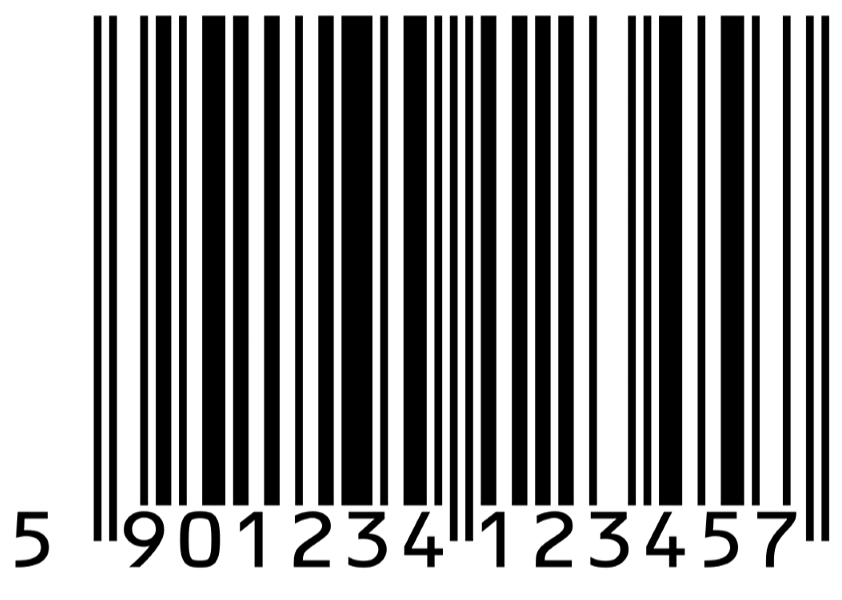
Barcode generator
Please create only the standardized EAN 13 barcode. It allows to be read by all major scanning software. It can be generated with either a respective font set, software or with an online application like this one:
Placement principles for EAN barcodes There are two groups of marketing tools that follow two principles:
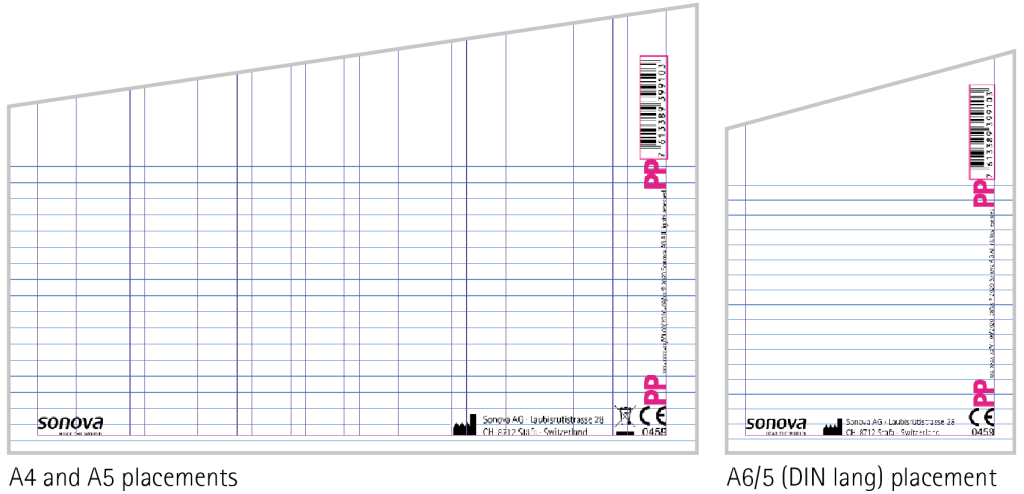
Standardized tools (such as brochures, leaflets, product information, etc.)
Standardized tools should always be created with the latest template. All mandatory elements/assets (incl. space for barcode) are already positioned.
You can download the latest template version from the Toolbox
Promotional tools (such as cards, flyers, coupons, etc.)
Depending on the available room, the following rules apply:
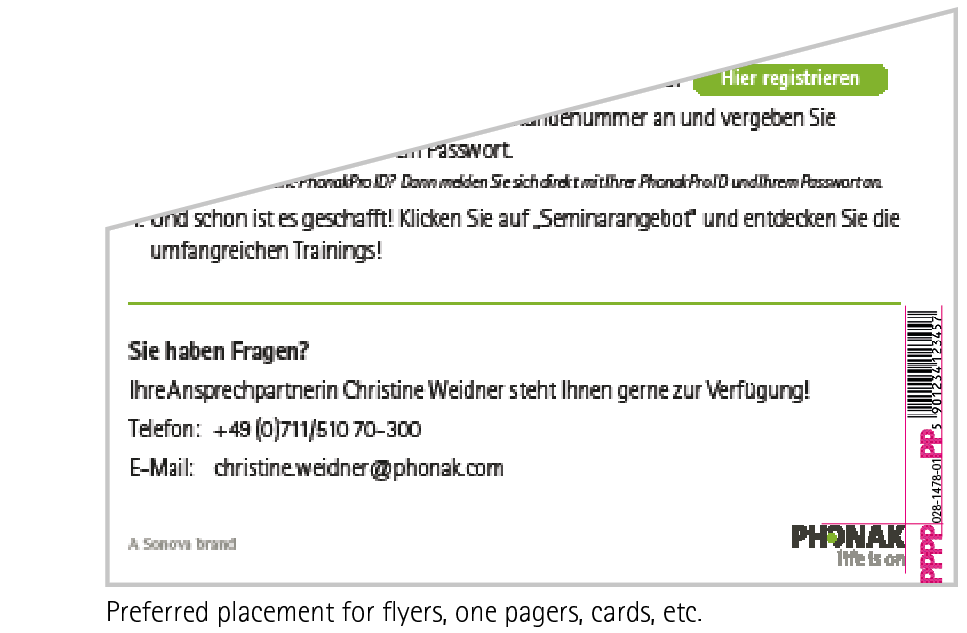
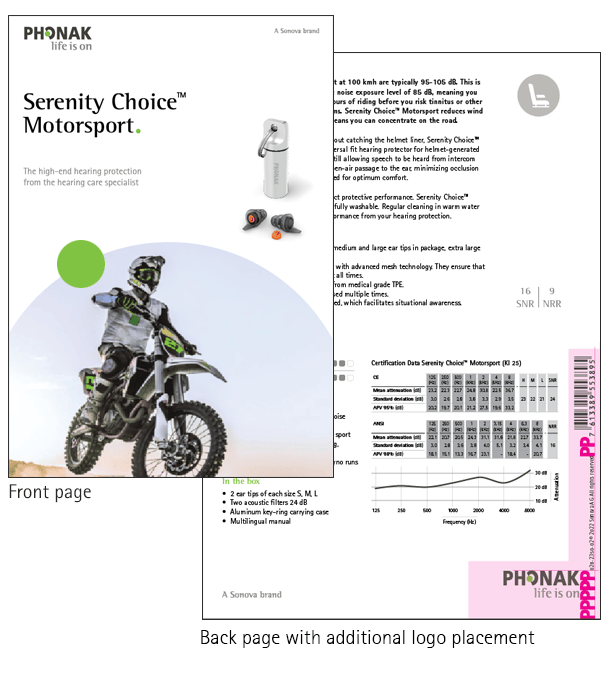
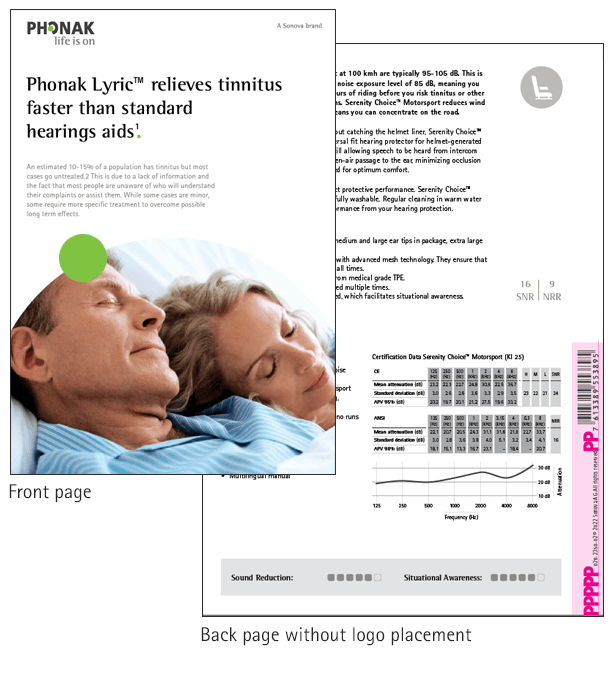
For multiple page documents: the barcode always needs to be placed on the back: right, lower corner above the article number with a distance of two PPs
For single page documents: same rule applies. With the exception: if space or the design does not allow to apply this rule, place the barcode in an empty area at the bottom of the document, ideally outside the actual designed area so that it does not disrupt the design.
Example of flyer, when logo is placed on the front and on the back page. Please note: The placement of logo and barcode is also valid for 1pager documents.
Example of flyer, when no logo is placed on the back page