Roger brochure - Phonak Brand Platform

Specific topics

Brochures

How to position Roger on printed Phonak brochures and pamphlets.

Logo hierarchy
Brochure cover examples
Pamphlet examples

Logo hierarchy

Brochures for Roger follow the same layout principles as the overall Phonak brand. The rules for positioning the Roger logo apply to all brochure types.


2022-07-14 13_09_05-Roger Brand Guidelines for WordPress.pdf - Adobe Acrobat Pro DC (32-bit)

Logo hierarchy
Brochure cover examples
Pamphlet examples

Visual cover examples

These are examples of applying Phonak brand principles and layout structures with actual Roger content, images, and products. There is enough flexibility to adapt the layout based on the content we want to communicate. It also communicates guidanceregarding Roger logo positioning within context.

2022-07-14 13_12_07-Roger Brand Guidelines for WordPress.pdf - Adobe Acrobat Pro DC (32-bit)
2022-07-14 13_27_28-Roger Brand Guidelines for WordPress.pdf - Adobe Acrobat Pro DC (32-bit)
2022-07-14 13_29_19-Roger Brand Guidelines for WordPress.pdf - Adobe Acrobat Pro DC (32-bit)
2022-07-14 13_44_22-Roger Brand Guidelines for WordPress.pdf - Adobe Acrobat Pro DC (32-bit)
2022-07-14 13_44_34-Roger Brand Guidelines for WordPress.pdf - Adobe Acrobat Pro DC (32-bit)

Logo hierarchy
Brochure cover examples
Pamphlet examples

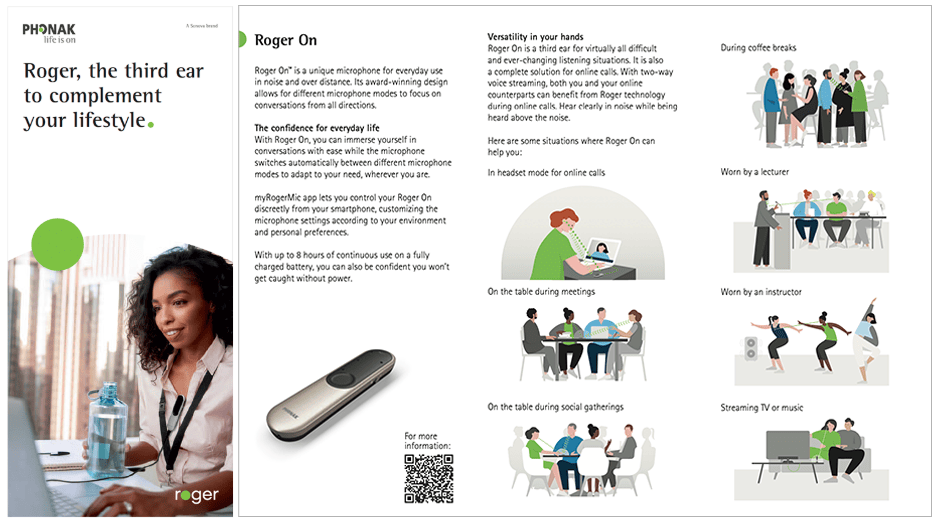
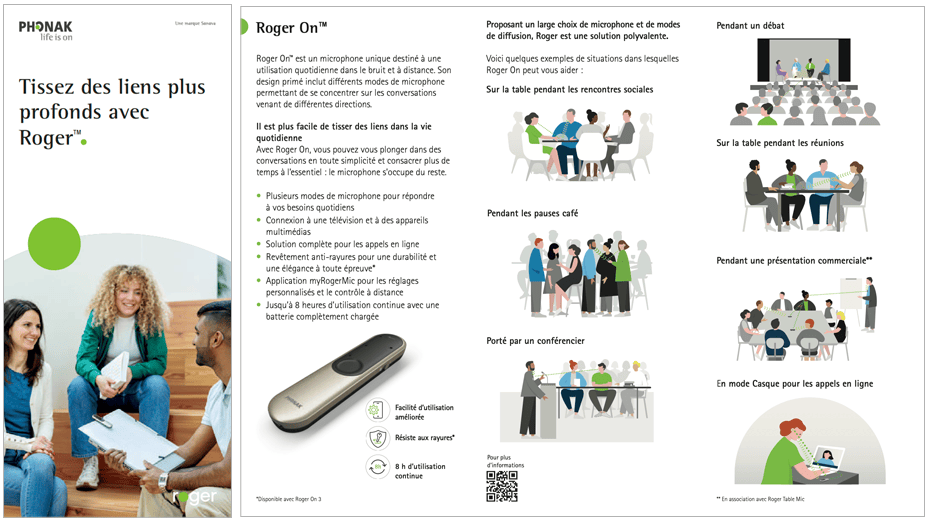
Pamphlet examples

roger-pamphlet-ex2
Cover page and inside pages
roger-pamphlet-ex1
Cover page and inside pages
2022-07-14 13_46_48-Roger Brand Guidelines for WordPress.pdf - Adobe Acrobat Pro DC (32-bit)
Cover variation with photography
2022-07-14 13_51_43-Roger Brand Guidelines for WordPress.pdf - Adobe Acrobat Pro DC (32-bit)
Generic cover variation
2022-07-14 13_51_57-Roger Brand Guidelines for WordPress.pdf - Adobe Acrobat Pro DC (32-bit)
Cover variation with additional element (e.g. product)